OctoPrint
From TSAS Library
Revision as of 08:49, 24 April 2017 by JStallings (talk | contribs) (Created page with "# OctoPrint is located [http://192.168.25.126/ here]. We use it to control the printer remotely # Login with your credentials. Ask Stallings # Open the folder on your computer...")
- OctoPrint is located here. We use it to control the printer remotely
- Login with your credentials. Ask Stallings
- Open the folder on your computer containing the .gcode file you created with Cura
- Drag the file into the left of the OctoPrint screen
- You should see the file appear in the Files list on the left side of the screen.
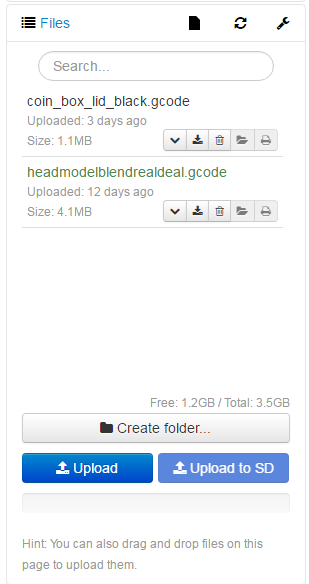
- Click your file to load it. If there are errors, do not print the file
- If there are no errors, click the Blue print button to begin printing
